macOS Golden Gate public beta is here: How to install, supported devices and all new features
Essential brief
Apple has released the public beta of macOS Golden Gate, introducing advanced AI capabilities and exclusive support for Apple silicon Macs. The update includes a smarter Siri, enhanced Spotlight se
Key topics
Key facts
Highlights
Why it matters
The release of macOS Golden Gate public beta marks a significant step in Apple's transition to Apple silicon-only Macs and its integration of advanced AI features. By introducing agentic AI capabilities in Siri and system-wide improvements, Apple is enhancing user productivity and setting new standards for intelligent computing on Mac devices. Early access through the public beta allows developers and enthusiasts to prepare for the upcoming changes and contribute feedback to improve the final release.
Apple announced macOS Golden Gate at WWDC 2026, emphasizing AI-powered enhancements and exclusive support for Apple silicon Macs. The public beta is now available, allowing users to experience new features such as an upgraded Siri, improved Spotlight search, and Safari updates before the official release. However, as a beta version, it may contain bugs and performance issues, so users relying on their Mac for critical work should consider waiting for the stable version.
macOS Golden Gate supports only Macs with Apple silicon chips, starting from the M1 series. Compatible devices include MacBook Air models from 2020 onward, MacBook Pro with M1 or newer chips, Apple silicon iMacs, Mac mini, Mac Studio, the upcoming MacBook Neo (2026), and Apple silicon Mac Pro. The update brings deeper integration of Apple Intelligence and a redesigned Siri experience across these devices.
To install the public beta, users must enroll in Apple's Public Beta program via the Apple Beta Software Program website. After enrollment, they can access the beta through System Settings under Software Update by selecting macOS 27 Golden Gate Public Beta. The installation process mirrors a standard macOS update.
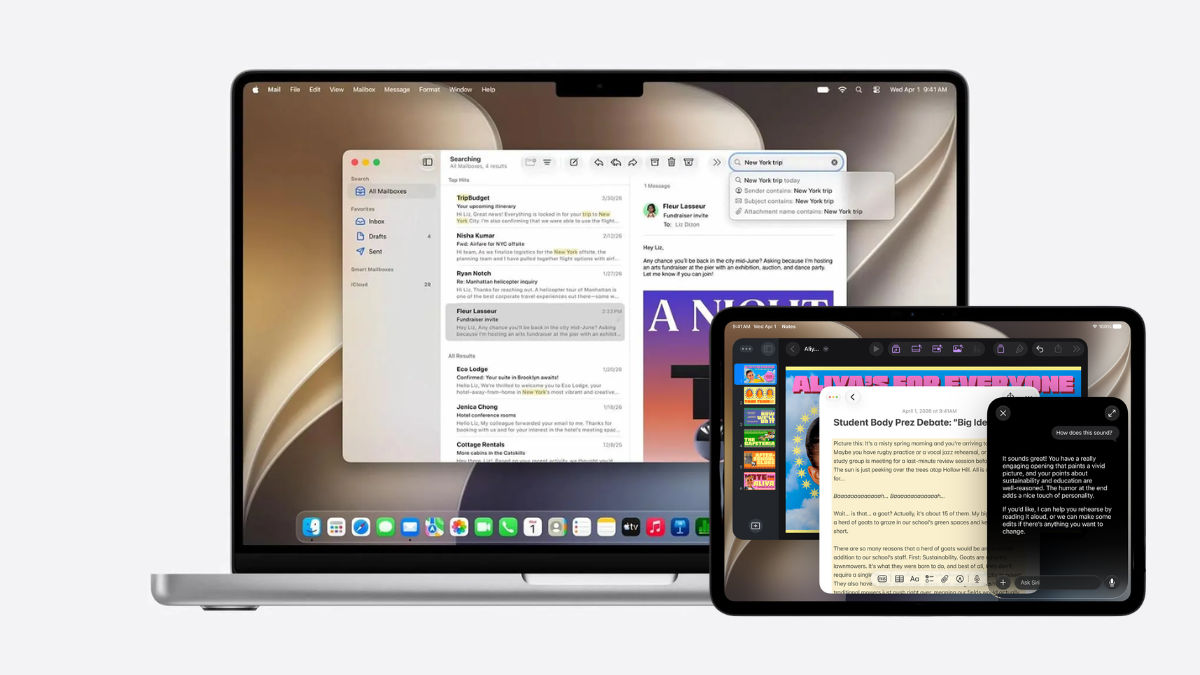
Key features include a significantly smarter Siri, now capable of understanding context, interacting with apps, and performing tasks like drafting emails and managing calendar events. Siri also integrates with Spotlight search and offers a dedicated app for ongoing conversations synced across Apple devices. Safari introduces AI-driven tab grouping, a Notify Me feature for webpage monitoring, and the ability to generate browser extensions based on user descriptions.
Search functionality has been enhanced with a rebuilt indexing system for faster, more accurate results. The Passwords app can now identify weak credentials and automatically update them on supported sites. The Shortcuts app allows users to create automation routines using plain English commands. Performance improvements include faster AirDrop transfers, quicker Safari loading, and overall increased system responsiveness. The Liquid Glass design language continues with added transparency controls for better interface customization.
Developers benefit from Xcode 27, which includes the macOS 27 SDK and introduces AI-assisted coding and testing tools to streamline app development. Users interested in exploring these new capabilities can try the public beta but should be cautious due to its unfinished nature.
Key topics in this update include macos golden gate public beta, macos golden gate, and public beta.